Top or bottom
A pill that fits its content or the full width of the edge. Reserve space, float, or auto-hide.
Pin apps, folders, files and websites to one edge of the screen. Add plugins for whatever you want to keep an eye on: clock, system, media, weather, crypto and todos come built in, more are in the store, and a coding agent can write you a new one over MCP. It runs beside your system taskbar: no window list, no tray.
Linux · Windows · macOS (beta)
works with Claude Code · Codex · Grok · any MCP client
This is smabar. Your app dock. Drag in what you need: apps, folders, websites. Make it yours: top or bottom, fisheye if you like, and themes to your taste. The special part: it is fully extendable with your own plugins. Clock, system, todos come built in. And fully controllable over MCP. Connect Claude Code, Codex, Grok or whatever agent you run locally. Tell it what you want to see and it writes the plugin, right into your bar. Show what you want: a flyout, an image, a notification. Your desktop, extended. Free, at smabar.com.
Drop them onto the bar or pin them in Settings. Website icons come from the site itself; no icon service ever sees your links. Move the pointer along the bar and the fisheye magnifies the tile under it.
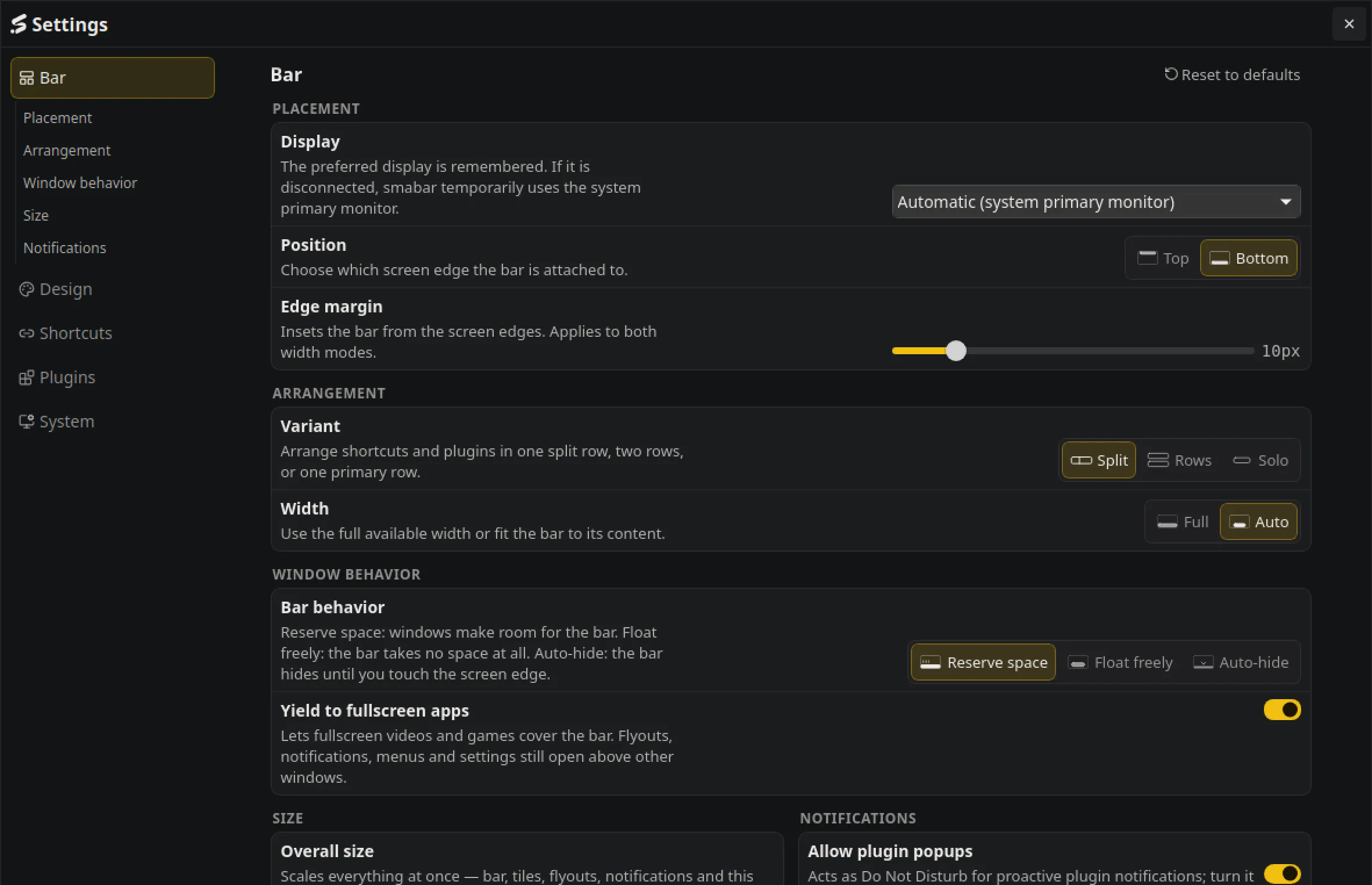
A pill that fits its content or the full width of the edge. Reserve space, float, or auto-hide.
The tile under the pointer grows, its neighbours a little less. Scale and reach are sliders; scale one switches it off.
Keep the bar above everything, or put it behind your windows and leave the plugins on the desktop.
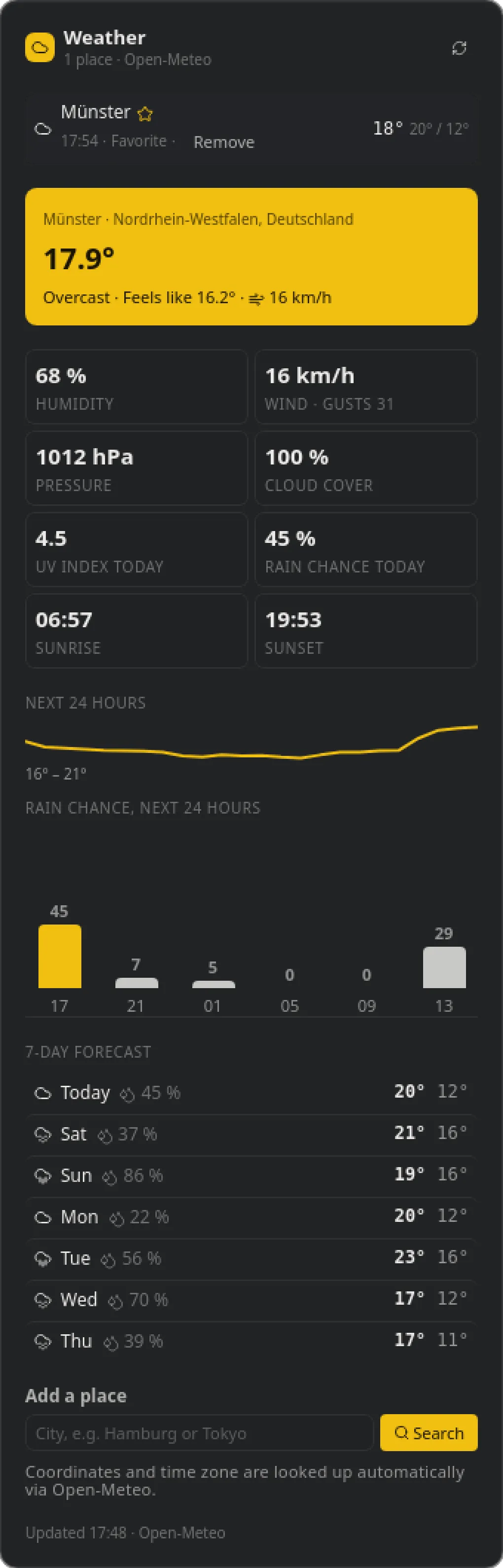
A plugin is a tile on the bar, a flyout for the details and a popup when something happens. Clock, system, media, weather, crypto and todos come built in; the store has more. Every plugin is its own process in its own folder, and you can read every line of it.
A plugin is a process that speaks JSON-RPC over stdin and stdout, one message per line: it receives its settings, renders HTML and hears about clicks. The exec runtime starts whatever program you name, in Go, Rust, Node or a shell script.
smabar ships uv and installs its own Python under ~/.smabar/tools/, separate from anything on your system. Dependencies go in the script header (PEP 723) and install on first start. The SDK (MIT) handles the protocol; the bundled plugins are the reference.
~/.smabar/plugins/<id>/ holds the code, ~/.smabar/data/<id>/ its data, ~/.smabar/logs/ its log. Edit a file and the plugin reloads.
The bar runs an MCP server on localhost only. Connect Claude Code, Codex, Grok or any MCP client you run locally. It can do two things.
Describe what you want to see. The agent reads the built-in guide, writes the files into ~/.smabar/plugins/ and the plugin runs without a restart. Every write answers with the plugin's warnings and render status, so the agent checks its own work.
A running plugin can register commands with JSON Schemas; the agent discovers them with plugin_commands and calls them with plugin_call. The bundled Todos plugin registers todos.list, todos.create, todos.complete and more, and the tasks stay in ~/.smabar/data/todos/. One paragraph in your project's CLAUDE.md, and your agent plans against the same list you see on the bar.
MCP on http://127.0.0.1:7627/mcp, localhost only. Nothing leaves your machine.
A theme is one JSON file: colours, fonts, behaviour. Pick a bundled one, install one from the store, or describe a look and let your agent write it.
Every plugin is its own process. A crashing plugin never takes the bar with it.
Plugins deliver HTML, no JavaScript. The bar sanitises the markup and provides the interactions itself.
No cloud, no account. The MCP server listens on localhost only.
Plugin processes run with your user rights, so read a plugin before you install it. Source-available: read every line before you trust it.
Plugins and themes live in public GitHub repositories; anyone can publish one and submit it to the catalog. The catalog is signed, the stars come from GitHub, and the app asks before it installs anything.
newsletter
Release notes and notable additions to the store, a few times a year. Double opt-in, one click to leave.
Free. No account. Everything stays on your machine.